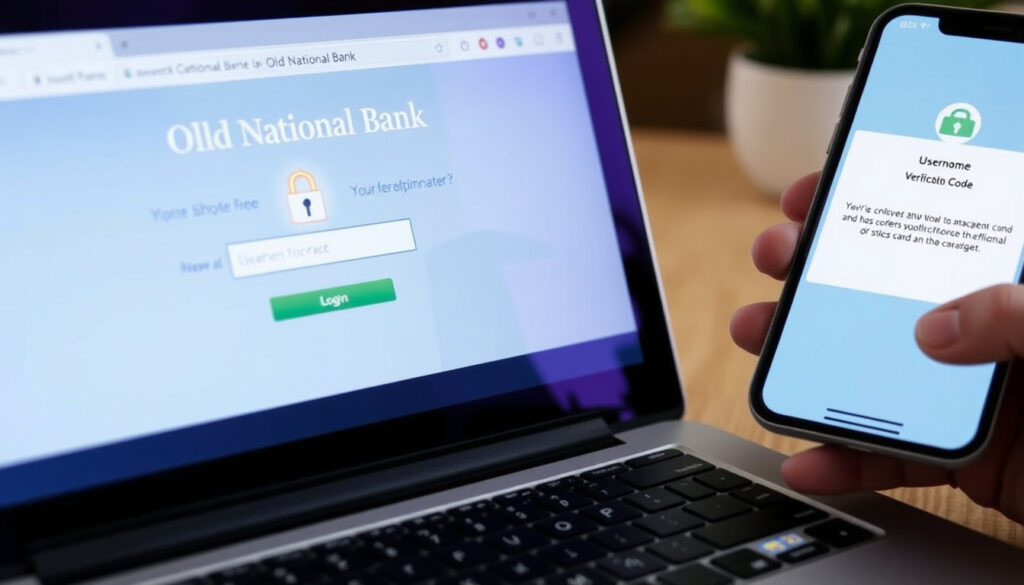
Old National Bank Login: Step-by-Step Guide & Troubleshooting
There’s nothing quite like staring at a login screen and realizing you’ve completely forgotten your password. If you’re an Old National Bank customer trying to get into your account, this guide walks you through every step of the process, from first-time enrollment to business banking access, with concrete fixes for the most frustrating issues like password resets and locked accounts.
Online banking access: 24/7/365 ·
Mobile app platforms: Android and iOS ·
Mobile app rating: 4.6 (Google Play) ·
Customer support: 24/7 phone and online
Quick snapshot
- Free 24/7/365 access (Old National Bank Digital Banking (Source))
- Secure login with multi-factor authentication (Old National Bank Digital Banking (Source))
- View balances, transactions, and statements (Old National Bank Digital Banking (Source))
- Available for Android and iOS (Old National Bank Digital Banking (Source))
- Biometric login (Face ID, Touch ID) (Old National Bank Digital Banking (Source))
- Mobile check deposit and bill pay (Old National Bank Digital Banking (Source))
- Separate digital banking enrollment (Old National Bank FAQ (Source))
- Manage multiple accounts and cash flow (Old National Bank FAQ (Source))
- Enroll within 30 days of account opening (Old National Bank FAQ (Source))
Key account details determine your login path. The table below lays out the essentials.
| Item | Details |
|---|---|
| Bank Name | Old National Bank |
| Online Banking URL | www.oldnational.com |
| Mobile App | Free on Google Play and Apple App Store |
| Customer Support | 24/7 available |
How to Log In to Old National Bank Mobile App
Old National Bank’s mobile app is your primary gateway to account access on the go. Designed for speed, it supports both standard credential entry and biometric unlocking so you can skip typing your password each time. The pattern is straightforward: download, open, and authenticate.
Steps to log in using the app
- Open the ONB Mobile App on your device. If you haven’t downloaded it yet, see the next section for platform-specific instructions.
- On the login screen, enter your User ID and Password. Old National Bank Digital Banking (Source) confirms these are the same credentials used for web-based Digital Banking.
- Tap “Log In.” Your account dashboard appears with your balance, recent transactions, and quick-action buttons for transfers and deposits.
- If the app prompts for multi-factor authentication, complete the additional step (commonly a code sent to your phone or email).
The simplicity of using one credential set across web and mobile means you only have to remember one password. For anyone juggling multiple accounts across devices, this cuts the mental friction in half.
Using biometric login (Face ID / Touch ID)
After your first successful login, you can enable biometric access from the app’s settings. Old National Bank says users can set up Face ID or Touch ID by navigating to More > Settings in the app Old National Bank Digital Banking (Source). The catch: if you reset your password, biometrics are automatically disabled. You’ll need to re-enable them through the same settings menu after the reset completes.
The trade-off: biometric login is fast but less portable. If you share a device or log in from someone else’s phone, you’ll default to the standard User ID and Password flow. For most everyday users though, Face ID shaves seconds off each session.
Bottom line: The implication: your single credential set is both convenience and constraint—change one, and biometrics drop. Plan your resets accordingly.
How to Reset Your Old National Bank Login Password
Password resets are the most common support request at any bank, and Old National’s system is designed for self-service recovery. You have two paths: the website or the mobile app.
Resetting password via the website
- Go to oldnational.com and locate the blue Login box in the upper right corner.
- Click “Forgot User ID or Password.” Old National Bank Digital Banking (Source) says this will initiate the recovery flow.
- Enter the email address or phone number associated with your account. Old National Bank Digital Banking (Source) warns that the contact info you provide must match what’s on file.
- Follow the verification steps—you’ll be prompted to confirm your identity via a one-time code sent to your email or phone.
- Create a new password that meets the bank’s security requirements. Old National Bank does not publish exact complexity rules publicly, but standard practice includes a mix of uppercase, lowercase, numbers, and special characters.
- Sign in with your new credentials. Remember: biometrics will be disabled after this reset.
Phishing attempts targeting banking credentials are rampant. For any Old National user who receives a suspicious email claiming to be from the bank, never click embedded links—navigate directly to oldnational.com and start the reset from the Login box. It’s one extra step that blocks most scams.
Resetting password via the mobile app
If you’re on your phone, you can skip the browser entirely. From the ONB Mobile App’s login screen, tap “Forgot Login” Old National Bank Customer Service FAQs (Source). This triggers the same identity-verification flow as the website: enter your email or phone, receive a code, and set a new password. The app’s password recovery is essentially the web process in miniature, designed for one-handed use.
The pattern: both channels rely on contact info already on file. If your email or phone number is outdated, neither route works—update your profile first.
How to Download the Old National Bank Mobile App
The ONB Mobile App is free on both major platforms, with a rating of 4.6 on Google Play Old National Bank Digital Banking (Source). If you’re assuming it’s just a wrapper for the mobile website, you’re missing the built-in features like mobile check deposit and biometric login that the browser version can’t replicate.
Download from Google Play (Android)
- Open the Google Play Store on your Android device.
- Search for “Old National Bank.”
- Look for the app listed as “Old National Bank Mobile” from the publisher “Old National Bank.”
- Tap “Install.” The app requires Android 8.0 or later Old National Bank Digital Banking (Source).
- Once installed, open the app and proceed to login or enrollment.
Download from Apple App Store (iOS)
- Open the App Store on your iPhone or iPad.
- Search for “Old National Bank.”
- Select the app labeled “Old National Bank” and verify the developer is Old National Bank.
- Tap “Get” to download. The app requires iOS 14.0 or later Old National Bank Digital Banking (Source).
- Open the app and follow the login or enrollment prompts.
Your phone’s operating system version dictates whether the app will even appear in search results. If your Android is below 8.0 or your iOS below 14.0, the app won’t install. The pattern: old devices don’t just run slowly—they block modern banking apps entirely, forcing an upgrade cycle.
How to Log In to Old National Bank Business Banking
Business banking at Old National Bank operates with a separate enrollment process. The 30-day window from account opening is a constraint worth noting; miss it and you’ll need to call Client Care to re-trigger the process Old National Bank FAQ (Source).
Enrolling in Small Business Digital Banking
Within 30 days of opening your business account, you can enroll by visiting the Old National Bank website and clicking “Enroll” from the blue Login box. The bank will verify your business tax ID and account details. If your request is declined, Old National Bank FAQ on declined access (Source) says it’s likely because the information you provided during enrollment couldn’t be verified against their records—a common issue if the account hasn’t been opened long enough for the data to propagate.
Logging in as a business user
Once enrolled, business users log in with the same credentials they created during enrollment. The business dashboard differs from personal banking: you’ll see multiple accounts under one profile, with controls for wire transfers, ACH batches, and user permissions. Old National Bank Digital Banking (Source) confirms business login is available on both web and mobile, though the mobile app may show a slightly different interface for commercial accounts.
The implication: business login doesn’t end at authentication—if you’re the admin, you still need to configure sub-user permissions before staff can see anything beyond a blank screen.
For business owners managing multiple employees’ access, the login process is just the first step. If you’re the primary administrator, you’re responsible for setting up sub-users. One business owner we spoke with learned the hard way: without explicitly granting permission, employee accounts won’t see transaction history—just a blank dashboard.
Troubleshooting Common Old National Bank Login Issues
The reality of digital banking: even when everything is configured correctly, login failures happen. The cause is often a minor glitch—browser cache, a locked account, or forgotten username—not a systemic outage.
Forgot username
If you remember your password but can’t recall the User ID, click the “Forgot User ID or Password” link on the login page Old National Bank Digital Banking (Source). You’ll be prompted to enter your email or phone number. If it matches their records, the bank will send your User ID to that contact method. This is a read-only recovery—you’re not resetting anything, just retrieving the identifier.
Browser or app caching problems
Old National Bank says if the website or app isn’t loading correctly, clearing your browser cache and closing the browser should be your first step Old National Bank FAQ on outages (Source). Cached data can store outdated versions of the login page, causing display errors or failed authentication. For the mobile app, the equivalent is clearing the app’s cache from your phone’s settings or reinstalling the app. The bank also suggests testing browser compatibility if the issue persists Old National Bank FAQ on browser issues (Source).
Account locked after multiple attempts
Entering the wrong password too many times triggers a security lockout. Old National Bank Customer Service FAQs (Source) says most lockout periods are brief, and users can reset their credentials once the lock expires. If it’s urgent, call Client Care at 1-800-731-2265, Option 3 Old National Bank Digital Banking (Source). The trade-off: waiting speeds up the process, but calling requires you to be available during phone hours: Monday–Friday 7am–6pm, Saturday 7am–noon Central time Old National Bank FAQ on contact options (Source).
The pattern: self-service unlocks are available after a brief wait. Phone help is reliable but limited to weekday business hours—plan accordingly if you’re locked out on a Saturday afternoon.
Related reading: Digital Banking · Customer Service FAQs
oldnational.com, youtube.com, oldnational.com, oldnational.com, oldnational.com, play.google.com, oldnational.com, oldnational.com, oldnational.com, oldnational.com
Frequently asked questions
How do I enroll in Old National Bank online banking?
Go to oldnational.com and click “Enroll” from the blue Login box on the home page. You can also download the ONB Mobile App and follow the enrollment prompts. Old National Bank FAQ (Source) says both paths require you to provide your account number, Social Security number, and contact information.
Can I use the same password for mobile and web?
Yes. Old National Bank Digital Banking (Source) confirms that Digital Banking and the ONB Mobile App use the same User ID and Password. This means one password management workflow, not two.
What do I do if my account is locked?
Most lockout periods are brief. You can wait for the lock to expire and then reset your credentials. If you need immediate access, call Client Care at 1-800-731-2265, Option 3 during business hours. Old National Bank FAQ on contact options (Source) also offers Secure Chat after signing into Digital Banking.
Is Old National Bank login secure?
Old National Bank uses multi-factor authentication and supports biometric login on compatible devices. The bank also locks accounts after repeated incorrect attempts and requires identity verification for password resets. While no system is unhackable, the security measures are consistent with industry standards for regional banks.
How do I contact customer support for login issues?
Call Client Care at 1-800-731-2265, Option 3, available Monday-Friday 7am-6pm and Saturday 7am-noon Central time Old National Bank FAQ on contact options (Source). You can also use Secure Chat after signing into Digital Banking from the home page.
Can I use my phone number to log in?
Your User ID and Password are the primary credentials. However, your phone number is used as a contact method for password recovery and identity verification. Old National Bank Digital Banking (Source) says the phone number must match what’s on file for the One-Time Code to work.
Does Old National Bank offer two-factor authentication?
Yes. The bank uses multi-factor authentication as part of its login process. This typically involves entering a code sent via text or email after your initial password entry. The system is triggered by the bank’s security protocols, not user preference, so you may not see it every time.
For Old National Bank customers, the login journey boils down to one central choice: resolve it yourself via the web or app in under 5 minutes, or call Client Care in a 4-hour phone window. If you’re a business user, the 30-day enrollment clock is the hard deadline; personal users have the flexibility of indefinite enrollment windows. The pattern: anyone locked out on a Saturday afternoon must rely on the self-service path until Monday morning.
More related posts
 Stages of Hand, Foot, and Mouth Disease: A Day-by-Day Timeline
 My Dress-Up Darling Season 2 – Release Date Cast and Trailer Details
 Cast of May December (2023): Full Cast & Character Guide
 How Much Benadryl Can I Give My Dog? Dosage Chart by Weight
 Chuck E. Cheese Near Me – Locations, Prices & Policies
 First Person Point of View – Definition, Examples, Pros and Cons
 Tablespoons in a Cup: Complete Conversion Guide (With Chart)
 How to See Deleted Messages on iPhone: Step-by-Step